What Is an '>Access Point?
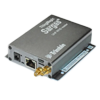
An access point (AP) is a network device that extends your local LAN with wireless Wi-Fi connectivity. It serves as a connection point for mobile phones, tablets, laptops, smart TVs, and smart home devices, providing them with reliable access to the local network and the internet.
While a standard router handles data routing, an access point is primarily responsible for broadcasting the wireless signal. By deploying multiple network access points, you can easily provide Wi-Fi coverage across large areas—from family homes and offices to restaurants and production facilities.
Modern Wi-Fi Standards and Frequencies
Today’s Wi-Fi access points operate in the 2.4 GHz, 5 GHz, and 6 GHz frequency bands. Our range includes access points supporting both the proven Wi‑Fi 5 (802.11ac) standard and the latest Wi‑Fi 6 (802.11ax) technology, delivering higher transfer speeds, lower latency, and stable connectivity even in environments with a high number of connected devices.
Advanced Network Security
Every high-quality Wi-Fi access point includes security features designed to protect the network from unauthorized access:
- Encryption standards: Support for WPA2 as well as the latest and most robust WPA3 encryption.
- MAC filtering: Allows connection only to authorized devices based on their unique MAC address.
- Guest Network: Securely isolates visitors from your primary network.
Easy Installation with PoE (Power over Ethernet)
Most access points support PoE-in, meaning the device is powered directly through the data UTP cable. This eliminates the need for a nearby 230 V power outlet.
If your router or PoE switch supports this function, simply connect the access point with a single cable. If your network device does not support PoE, you can easily add a PoE injector, which acts as a separate power supply.